This post contains affiliate links. If you buy through them, we may earn a commission at no extra cost to you. We research every pick from manufacturer specs, independent testing and verified owner reviews — read how we chose below.
The doorbell is the cheap part
November and December are coming, and with them the two busiest package months of the year — which makes this the exact moment most new homeowners buy their first video doorbell, usually in a hurry, usually by comparing one number: resolution. Here’s what the box doesn’t put in large type. The doorbell is a subscription decision wearing a camera costume. Two doorbells can sit side by side at the same price, and one of them will show you last night’s visitor for free while the other — without a monthly plan — can’t show you a single recorded second. Over three years, that difference is worth more than the doorbell.
This guide is the front-door companion to our smart lock guide: that one gets you in the door intelligently; this one watches it. It runs in the order that saves you money: what records for free, what the camera can actually see, and how it gets power — then the five picks. If your front door is still at the fall checklist stage (lighting, locks, clear sightlines), a doorbell is the natural next line on it.
How we chose: The five doorbells below were selected from manufacturer spec sheets and manuals, independent roundups and testing, and verified owner-review patterns. We don’t claim hands-on testing we didn’t do. Three rules governed the picks. First, every pick’s features are split into “free” and “behind the plan” exactly as its maker states them — a doorbell that records nothing without a subscription is described as exactly that, in its first paragraph, not in a footnote. Second, each pick owns a different front door: the no-subscription dual-camera with a chime, the no-subscription value buy, the Alexa house, the Google house (with the only 24/7 option), and the honest budget floor. Third, where a maker doesn’t publish a comparable figure, the table says “check product page” instead of guessing. Prices are street ranges checked in October 2026 and move hard with holiday promotions — check the current price on the product page.
Rule 1 — Ask what records for free, before you ask anything else
Every video doorbell does three things for free, more or less: live view, a motion alert, and a two-way conversation. They split — hard — on the fourth thing: history.
- Records for free, on the device: Picks 1 and 2 store motion clips on 8 GB of built-in local storage. No plan exists that you need. The trade: the footage lives on the doorbell, so if the doorbell itself is stolen, the footage leaves with it (both have anti-tamper thinking — Pick 1 even has an alarm — but the honest limitation stands).
- A free taste, then a plan: Pick 4 (Nest) includes smart alerts and 3 hours of event history for free — genuinely generous at 2 p.m., genuinely gone by breakfast. Pick 5 (Blink) includes a 30-day trial, then clip saving moves behind its plan.
- Nothing records without the plan: Pick 3 (Ring) is the clearest case in the category. No plan = live view and alerts only, forever. That’s not a defect — Ring’s cloud is excellent — but it means the Ring’s real price is doorbell + plan, and this guide prices it that way (see the true-cost section).
The 3-year test: doorbell price + 36 months of the plan it needs to record. Picks 1–2 add $0. Pick 3 adds roughly $180 at the current Basic tier (~$4.99/month). Keep that arithmetic next to every “deal price” you see this holiday season.
Rule 2 — The view that matters is the doorstep, not the street
A doorbell’s job is a tall, narrow slice of the world: a visitor’s face at the top, a package on the ground at the bottom. Wide landscape video crops exactly the two things you bought it for. Three engineering answers exist, and each pick uses one:
- A second, downward camera (Picks 1–2): one lens for faces, one for the doorstep. No cropping compromise, and the package view is a real camera, not the stretched edge of a fisheye.
- A square (1:1) frame (Picks 3 and 5): 150° up and 150° across — head-to-toe in a single image.
- A portrait (3:4) frame (Pick 4): the same idea, taller than wide, Google’s flavour.
Resolution still matters — 2K reads a face (and a label) better than 1440p, which reads better than 1080p — but framing beats megapixels at a front door. A sharp picture of the street and a cropped picture of your package is the wrong way round.
Rule 3 — Power decides behaviour: battery sleeps, wired watches
- Battery (Picks 1, 2, 3, 5 can all run this way): ten minutes to install, no wiring, works for renters. The costs are physics: the doorbell sleeps between events to save power, so the first second or two of an approach can be missed, and you will recharge it — how often depends on traffic, not on the number printed on the box. Treat every maker’s battery claim as the light-traffic figure: one tested roundup measured the E340 (Pick 2) at about a month in a busy position against its up-to-6-months claim. Busy street, constant alerts, cold weather: budget weeks-to-a-few-months for any of them, and prefer a quick-release or swappable pack so charging doesn’t mean a dead doorbell.
- Wired (Pick 4 is wired-only; 1–3 can also wire): the doorbell is always awake, never needs charging, and — on Pick 4 — unlocks 24/7 continuous recording, which no battery doorbell can physically do. The cost is the install: you need doorbell wiring and a transformer that can feed a camera, not just a chime. Check your transformer before you buy: wired video doorbells typically want 16–24 VAC, and the VA rating matters as much as the volts — the tired 10 VA transformer in a lot of older homes is the classic silent failure (doorbell “randomly” dies, battery never charges). The transformer is a small grey box near your panel or chime, and its label is a 30-second check. Low-voltage wiring is a normal DIY job for most homeowners, but if you’re not comfortable, an electrician’s short visit is cheaper than a return.
- The chime question nobody asks in the store: when someone presses the button, what rings inside the house? Pick 1 includes an indoor chime. Pick 4 uses your existing wired chime. Picks 2, 3 and 5 have no chime in the box — your options are an existing mechanical chime (if wired), a plug-in chime bought separately, or a smart speaker doing the job. Decide before checkout, not at the door with a visitor standing there.
Privacy, in one honest paragraph: a doorbell films your property and whatever public view lies beyond it — broadly normal in the US, but audio-recording consent rules and face-recognition restrictions vary by state (one pick’s own listing notes familiar-face alerts are unavailable in Illinois). Point the camera at your door, use motion zones to spare the neighbours, and check your local rules if you want the legal edges. This is buying guidance, not legal advice.
The 5 doorbells, matched to the 5 front doors
1. ⭐ Best dual-camera, no subscription, chime included: Philips 7000 Series Video Doorbell
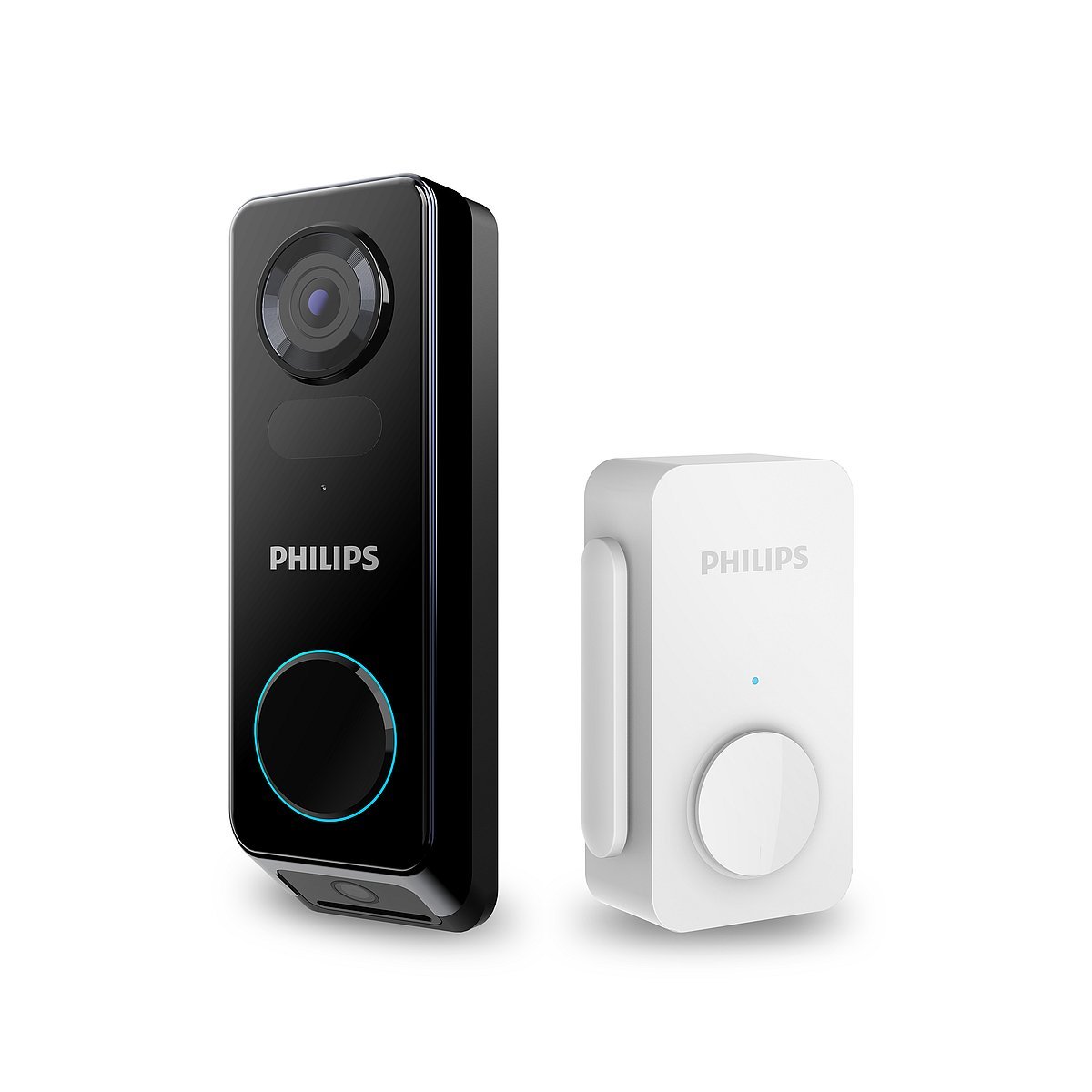
Our hero, from the Philips Home Access program on Impact — and the pick that makes this guide’s two big arguments in a single product. Two cameras: a 2K HD main camera with HDR for faces, and a low-angle second camera for the doorstep, so the package is photographed by a lens that was aimed at it. Detection is PIR + radar with AI human detection and customizable zones, with package arrival alerts and two-way talk. And it records to 8 GB of encrypted local storage with no monthly fee — the full feature set works the day you install it, forever, at $0/month. It runs on its built-in rechargeable battery or your existing wiring, an indoor chime is in the box (the only pick here that includes one), and it carries a 2-year warranty. If you bought the Philips fingerprint lock from our smart lock guide, this is its other half: one Philips Home Access app running your whole front door.
Honest trade-offs: at a $229.99 list price it’s the joint-most-expensive doorbell here (street and promo prices run lower — check the product page). The 8 GB is fixed — no expansion slot — so at 2K in a busy position it fills, and clearing it is a manual job (Pick 2’s local storage auto-manages and can grow via a hub). Reviewers’ one consistent gripe is two-way talk: fine for “leave it by the door,” frustrating for a long chat. Its anti-theft alarm is a real deterrent with a real corollary — disarm it in the app before you take the doorbell down to charge, or it will announce you to the street. And it’s the youngest ecosystem here: Alexa and Google voice control (live view of the front camera), no HomeKit.
2. Best no-subscription value: eufy Video Doorbell E340
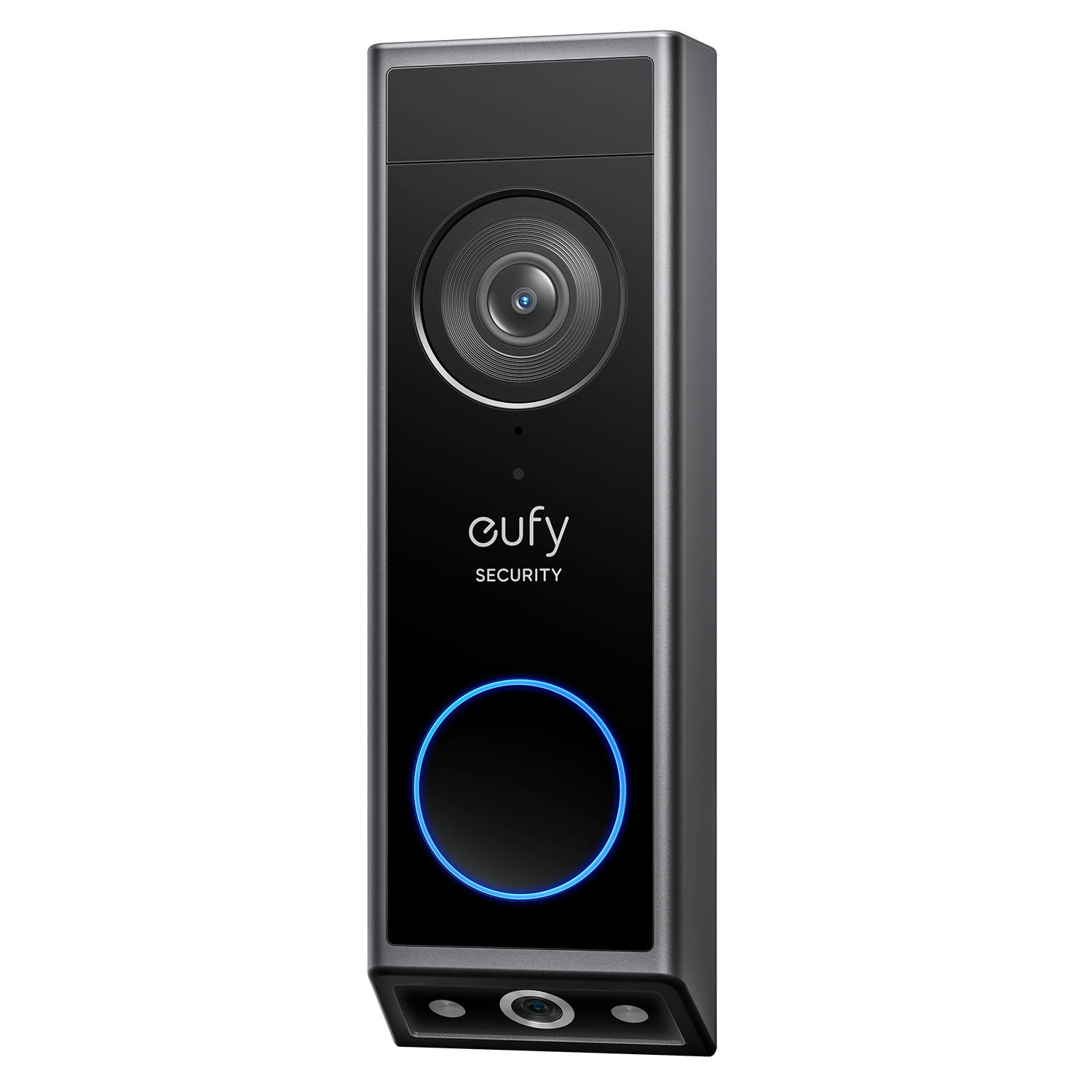
The same idea as the hero — dual cameras, local recording, no plan — for meaningfully less money, which is why the E340 is the recurring “best subscription-free” pick in this year’s roundups. 2K front camera plus a downward package camera, colour night vision (to about 16 feet, where most rivals switch to grainy black-and-white infrared), Delivery Guard package alerts, person/package/face detection, and 8 GB of built-in storage that manages itself — oldest footage rolls off automatically, and a HomeBase hub (separate) expands storage if you outgrow it. Power is your choice: quick-release rechargeable battery or wired, and it works with Alexa and Google Assistant.
Honest trade-offs: no chime in the box — it can ring a wired mechanical chime, a HomeBase, or a smart speaker, but the hero’s included chime is a genuine point of difference, as is the battery: eufy claims up to 6 months, and an independent test in a busy position measured about one month. Believe the traffic, not the box — a quiet suburban door will land somewhere between; a busy one should plan on the wired install or frequent charging. 2.4 GHz Wi-Fi only, and no HomeKit.
3. Best for Alexa & Ring homes: Ring Battery Doorbell Plus
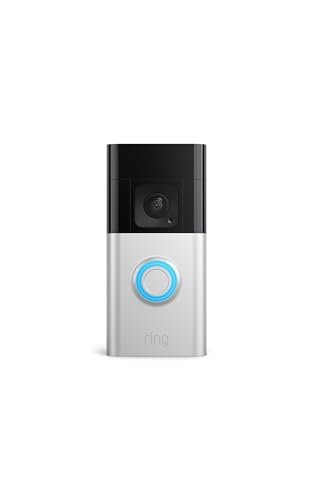
If your house already speaks Alexa, this is the doorbell that speaks it natively — and it earns the slot on framing and ecosystem, with its one big condition stated up front: without a Ring Home subscription, this doorbell records nothing. Live view, motion alerts and two-way talk are free; recorded video and package alerts live behind the plan (~$4.99/month for one device at the current Basic tier — budget it as part of the price, the way the true-cost section does). What the plan buys is the category’s most polished cloud: searchable history, rich alerts, and an Echo Show or Fire TV pulling up your front door on voice command. The hardware is the proven part: 1536p HD+ video in a 150° × 150° head-to-toe frame, colour night vision, and Ring’s best battery idea — a removable Quick-Release pack, so you swap in a charged spare instead of taking the doorbell off the wall (or hardwire it to trickle-charge on an existing 8–24 VAC system).
Honest trade-offs: the subscription is effectively the product — cancel it and your history is gone, because there is no local storage to fall back on. Wi-Fi is 2.4 GHz only at this tier, and there’s no radar here: the famous Bird’s Eye View 3D motion tracking is the Pro tier’s party trick (named below as the step-up). Like every battery doorbell it sleeps between events, so an approach can start a second before the clip does. Warranty is 1 year.
4. Best for Google homes — and the only 24/7 option: Google Nest Doorbell (Wired, 2nd Gen)
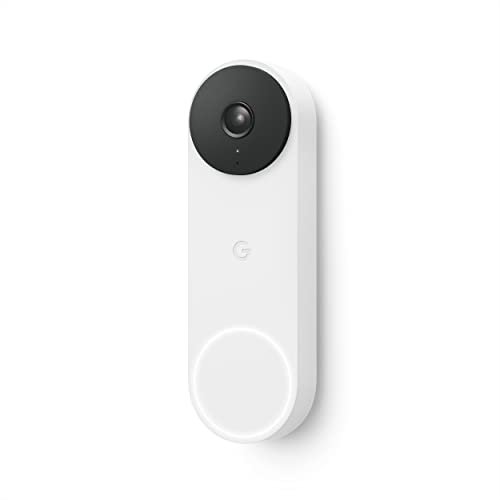
Google’s wired doorbell makes two offers nobody else in this guide matches. First, the smartest free tier here: intelligent alerts that tell a person, a package, an animal and a vehicle apart are included, plus 3 hours of free event history — no plan required to be smart, only to remember longer. Second, the wired superpower: because it never sleeps, with a Nest Aware Plus plan it can record 24/7 continuous video (up to 10 days) — the only pick in this guide that can show you the whole night, not just the moments its motion sensor chose. The hardware is a slim HDR, 3:4 portrait-view unit (faces and doorstep in one tall frame) that lives in the Google Home app, with Nest Hub displays as its natural in-home screen and chime partner.
Honest trade-offs: wired-only is the whole decision. It needs existing doorbell wiring, a 16–24 VAC, 10–40 VA transformer and a compatible chime — in a house with a tired transformer (Rule 3 above), that’s an install project with possible extra parts, and renters should look at Picks 2, 3 or 5 instead. The free history really is only 3 hours — the overnight event you check at breakfast may already be gone without a plan — and the long history, familiar faces and 24/7 all live in the paid tiers. It’s managed in the Google Home app only (the old Nest app doesn’t support it, which surprises upgraders), and its IP54 weather rating is the lowest here.
5. Best budget: Blink Video Doorbell (2nd Gen, with Sync Module Core)
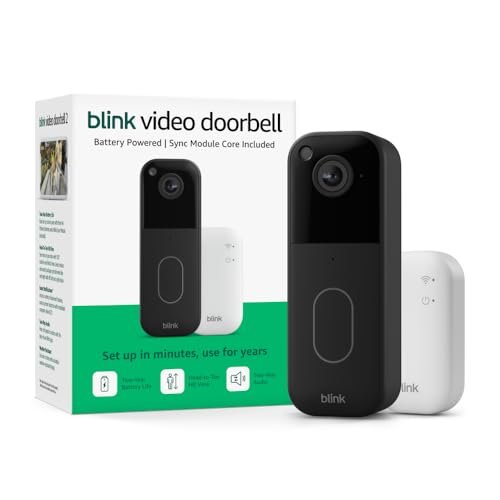
The floor of the category, priced honestly — around the cost of a family pizza night — and better than its price suggests: 1440 × 1440 HD video in a 1:1 head-to-toe frame (150° × 150°), infrared night vision, two-way talk, and the category’s most audacious battery claim, up to two years from three AA lithium batteries. That claim has a mechanism: the included Sync Module Core hub does the heavy always-on listening so the doorbell can sip power (it also lets you grow to 10 Blink devices). Install is wire-free in minutes, or wired to an existing chime circuit if you have one; it talks to Alexa and nothing else. For a renter, a side door, or a first doorbell bought with the grocery money, this is the sensible spend — our garage guide’s forgotten side entry is exactly the kind of second door it suits.
Honest trade-offs — and this pick has the guide’s most important asterisk: person detection and saving clips live behind the Blink Subscription Plan (a 30-day trial is included), and the included Sync Module Core cannot store clips locally — local storage needs a different module (Sync Module 2 or XR, sold separately). So the budget price buys live view and basic alerts; the recording most people picture costs the plan. Reviewers and owners also flag alert speed — notifications can lag several seconds behind the event — and two-way audio is the other recurring complaint. No chime in the box (an Alexa device or a Blink Mini camera can ring indoors). Battery life assumes default settings and the module; a busy door shortens it.
The step-ups and alternatives, honestly placed: want the widest view in the category and a built-in siren? Arlo’s Video Doorbell 2K sees a full 180° — it missed the five because its smart alerts and history lean on Arlo’s plan after a trial month, making it a second subscription ecosystem without Ring’s Alexa depth. Live in Apple’s Home app? Look at Aqara’s doorbell cameras (HomeKit Secure Video) — they need an Apple home hub, which is a guide of its own. Already deep in Ring and obsessed with motion accuracy? The Ring Pro tier adds radar 3D tracking (Bird’s Eye View) for a real premium. And if expandable microSD storage matters more than dual cameras, the Tapo/Reolink class is the budget no-fee route Picks 1–2 beat on coverage, not on storage flexibility.
Full comparison
| Philips 7000 ⭐ | eufy E340 | Ring Battery Plus | Nest (Wired, 2nd Gen) | Blink (2nd Gen) | |
|---|---|---|---|---|---|
| Price | $229.99 list | ~$160 class | Check product page | ~$180 class | ~$70 class |
| Video | 2K HDR, dual-cam | 2K + package cam | 1536p HD+ | HDR, 3:4 portrait | 1440×1440 HD |
| Records without a plan | Yes — 8 GB local | Yes — 8 GB local | No | 3 h history only | No (Core module) |
| Smart alerts, free | Person + package | Person + package + face | No (plan) | Person/package/animal/vehicle | No (plan) |
| Power | Battery or wired | Battery or wired | Battery / wired trickle | Wired only | 3× AA / wired |
| Chime in the box | Yes | No | No | No (existing) | No |
| 24/7 recording | No | No | No | Yes (Aware Plus) | No |
| Warranty | 2 yr | Check listing | 1 yr | Check listing | 1 yr |
What it costs over 3 years (so the plan is never a surprise)
Add the doorbell and 36 months of the plan it needs to record — the only fair way to compare across this table:
- Philips 7000: the doorbell, + $0. Recording is local and free, forever.
- eufy E340: the doorbell, + $0. Same local deal; a HomeBase for more storage is a one-time hardware choice, not a subscription.
- Ring Battery Doorbell Plus: the doorbell + ~$180 (Basic at ~$4.99/month) — and the plan is not optional if you want recordings at all.
- Nest Doorbell (wired): the doorbell + $0 if the free tier is enough (smart alerts + 3-hour history) — the honest middle case. Long history, familiar faces or 24/7 are plan purchases, made with open eyes.
- Blink (2nd Gen): the doorbell + the Blink plan if you want person detection and saved clips — the sticker is the cheapest here; the 3-year total is closer to the pack than the sticker suggests.
When NOT to buy (yet) — the honest section
- You don’t know your transformer. Thirty seconds at the label (16–24 VAC? how many VA?) decides whether a wired pick is a swap or a project. Check first — the cheat sheet has the checklist.
- Your Wi-Fi is weak at the front door. Almost every pick here runs on 2.4 GHz and lives or dies on signal at the door — the furthest, most-walled-off point in many homes. Stand where the doorbell will sit, check your phone’s signal, and fix the network before blaming a doorbell.
- You need Apple HomeKit. None of these five is your doorbell — the Aqara pointer above is the honest route, and forcing a non-HomeKit pick into an Apple house is how returns happen.
- You want a security system. A doorbell is one camera with a button. It won’t watch the back gate, the garage side door or the yard — it’s the start of a system, not the whole of one.
Read next: 5 Best Smart Locks for Homeowners · Fall Home Maintenance Checklist · Essential Tools for New Homeowners
FAQ
Do video doorbells work without a subscription?
All five here give you live view, motion alerts and two-way talk for free. They split on recording: the Philips (Pick 1) and the eufy (Pick 2) record to built-in local storage with no plan at all; the Nest (Pick 4) includes smart alerts and 3 hours of event history free; Ring (Pick 3) records nothing without its plan, and Blink (Pick 5) saves clips behind its plan (or a separate local-storage module the base kit doesn’t include). “Works without a subscription” is true of every doorbell and useful on only some — always ask it about recording specifically.
Wired or battery — which is better?
Battery is better to install (minutes, no wiring, renter-friendly); wired is better at being a doorbell (always awake, no recharging, and on the Nest it unlocks 24/7 continuous recording). Battery doorbells sleep between events to save power, so they can miss the first second of an approach and their real battery life depends on traffic — makers quote the quiet-door number. If you have working doorbell wiring and a healthy transformer, wired (or a wired-trickle hybrid) is the grown-up choice; if you don’t, battery is a perfectly good one bought with open eyes.
What transformer do I need for a wired video doorbell?
Most wired models want 16–24 VAC, and the VA (power) rating matters as much as the voltage: the Nest wired specifies 16–24 VAC at 10–40 VA, Ring’s battery models trickle-charge on 8–24 VAC up to 40 VA, and Ring’s wired Pro tier wants 16–24 VAC at 10–40 VA. The classic failure is an old 10 VA transformer that rang a chime happily for 30 years and can’t feed a camera — the doorbell works on the bench and dies on the wall. Read the label on yours (usually near the breaker panel or the chime) before you order; upgrading it is a small part and a short job.
Can a video doorbell actually see a package on the ground?
Yes — if it’s built for it. The Philips (Pick 1) and eufy (Pick 2) use a second, downward-facing camera aimed at the doorstep. The Ring Plus and Blink (Picks 3 and 5) use a square 150° × 150° frame, and the Nest (Pick 4) a tall 3:4 portrait frame — both show faces and doorstep in one image. A traditional wide, short landscape view is the one that cuts the package off; framing, not resolution, is what decides this.
How long do video doorbell batteries really last?
Somewhere between the box and the busy-street test. Blink claims up to 2 years for Pick 5 (three AAs, with its Sync Module doing the always-on work, at default settings); eufy claims up to 6 months for Pick 2, and an independent test at a busy door measured about one month. Traffic, alert count, live-view habit and cold all shorten real life. The mitigations are a quick-release/spare battery, wired trickle charging where available, and motion zones that stop the doorbell waking for every passing car.
Will a video doorbell ring my existing chime?
Wired models generally can ring a compatible mechanical chime (the Nest requires a chime in the circuit; Ring and eufy support one when wired). On battery power, something else has to make the noise: Pick 1 includes an indoor chime in the box; for Picks 2, 3 and 5 it’s a plug-in chime bought separately or a smart speaker (Alexa for Ring/Blink, Alexa/Google for eufy) announcing the press. Check your chime plan before checkout — it’s the most-forgotten line in the whole purchase.
Do video doorbells record all the time?
Only one here can: the wired Nest (Pick 4), with a Nest Aware Plus plan, keeps up to 10 days of 24/7 continuous video. Everything else records motion-triggered clips — which is why the detection quality (PIR + radar on the Philips, Ring’s zones, everyone’s activity areas) matters as much as the camera. A battery doorbell physically cannot record continuously; it would be dead in days.
What happens if someone steals the doorbell?
Three layers of answer. Deterrence: Pick 1 has an anti-theft alarm that sounds on forced removal, and all five are screwed-down hardware, not ornaments. Evidence: on the cloud-plan models (Ring, Nest, Blink with a plan) the clips survive the theft because they were never only on the device; on the local-storage models (Philips, eufy) the footage is on the stolen unit — the honest price of no subscription, partly offset if a eufy HomeBase is keeping copies indoors. Replacement: brand replacement policies vary and often require a police report and sometimes an active plan — check your pick’s policy page before you need it.
How much does a video doorbell cost per month?
Zero, if you choose it that way: Picks 1 and 2 record locally for free, and Pick 4’s free tier covers smart alerts plus a short history. The plan models price recording at roughly $5/month for one doorbell at Ring’s Basic tier (Blink and Nest tiers are in the same neighbourhood — confirm the current figure on the plan page, because names and prices in this category change yearly). The 3-year section above does the multiplication nobody does in the store.
Is a video doorbell legal? Can it record my neighbours or the street?
In most of the US, filming your own property and the public view beyond it is normal and lawful, and millions of these are installed. The edges are real, though: audio recording is governed by consent laws that vary by state, and face-recognition features are restricted in some jurisdictions (the Nest listing itself notes familiar-face alerts are unavailable in Illinois). Aim the camera at your door, use motion zones thoughtfully, and check your local rules for the specifics — this guide can flag the questions, not give legal advice.
What’s the free cheat sheet?
A one-page PDF with the comparison table, the 3-year true-cost table, and the pre-buy checklist — transformer label check, battery-vs-wired decision, chime plan, and the at-the-door Wi-Fi test. Download the Video Doorbell Cheat Sheet (PDF)